The MERS system is used as a tool for banks to avoid having to record "Assignments Of Mortgage" whenever they change servicers.
To find the status of MERS, follow this guide.
Step 1
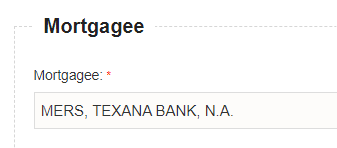
Enter the Mortgagee into the Mortgagee field:
Step 2
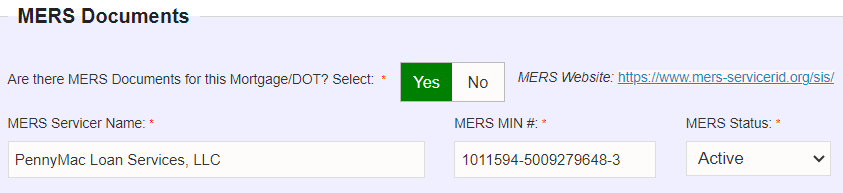
Do not enter the same name under MERS Documents section.
Instead, follow the
MERS Website Link
provided:
Step 3
"
Copy
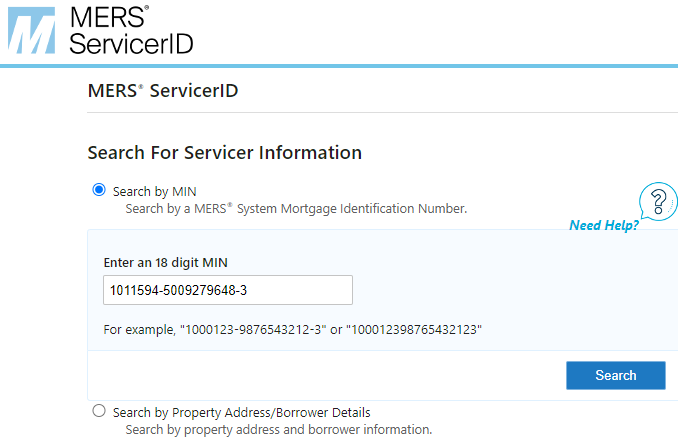
" the MERS MIN #, then click on the circled link above and
paste
the MIN # into the search field:
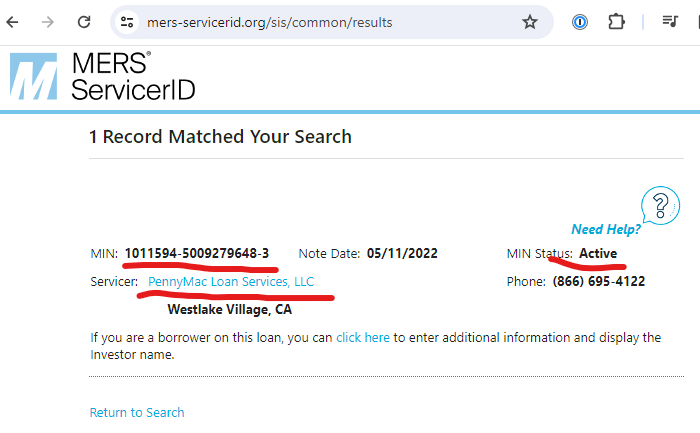
Once you click on "Search" the results will show you who the current servicer is; in this case it's PennyMac Loan Services, LLC:
Step 4
Copy the servicer name and paste THAT into the servicer field on our form like this:
Thank you for following these steps! We appreciate the work you do for us.
NOTE:
On VERY rare occasion, you may not find MERS, but are required to enter one in.
In this case, enter in ALL ZEROS, "000"..., into the MERS. This will flag our QC to manually review.